Remove objects from photos
Name the thing you want gone and the editor fills in what was behind it: cars, bins, signs, cables, strangers in the background.
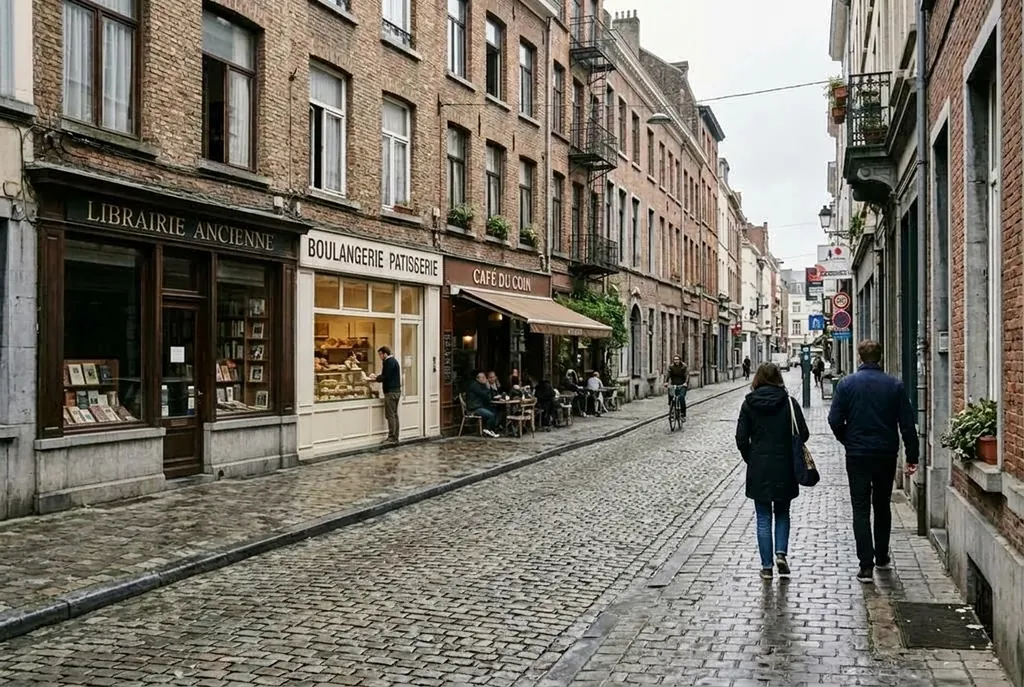
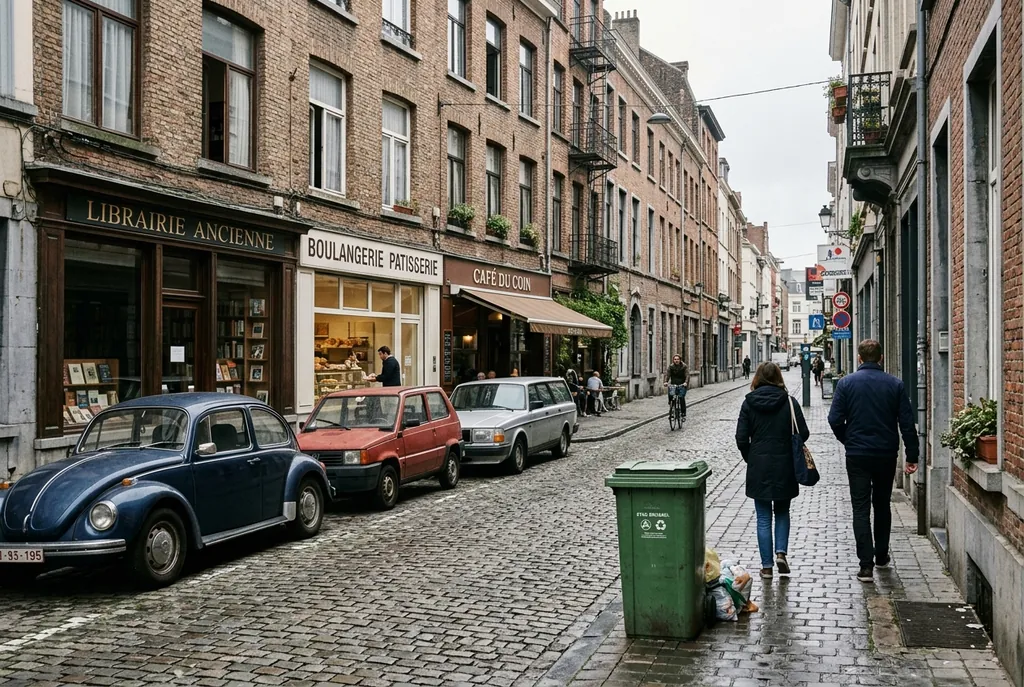
“Remove the parked cars and the trash bin from the street, extend the sidewalk and the facade behind them. Keep the people and the signs.”
Sample edit · drag to compare
How to remove objects from a photo in 3 steps
Upload, say what should go, download. The form writes the full instruction for you.
To remove an object from a photo, upload it, type what should go, for example "the parked cars and the trash bin", and press Remove it. The editor deletes it, rebuilds the road, wall or sky that was behind it and keeps everything you did not name. There is no brush and no mask. The free engine runs it with no account, 3 edits a day per connection; signing in with Google adds 10 free credits, enough for one edit on the default engine at 1K.
- 1
Upload your photo
Click Add photo, drop a file on the box, or paste one with Ctrl V. JPG, PNG, WEBP and HEIC up to 20 MB are accepted. A sharp photo where the object is clearly visible gives the cleanest fill, and nothing you upload is ever published.
- 2
Type what should go
Name the objects in plain words, such as "the parked cars and the trash bin", or tap one of the suggestions under the box. The form turns that into the full instruction, which you can read under the fields before you run it.
- 3
Remove it and download
Press Remove it. The result appears beside your photo with a compare handle, so you can drag across the patched area and check it. Download it with no watermark, or run the edit again on the result if one object survived the first pass.
Why remove objects with this editor
Words instead of a brush
Most erasers ask you to paint over the object first, and a rough stroke leaves a rough patch. Here you only name what should go. The editor finds it, even when it is small or spread across the frame, and you can list several things in one sentence.
The gap is rebuilt, not smudged
What matters after a removal is what goes back in its place. The editor continues the cobbles, the brick, the grass or the sky behind the object at the same grain, perspective and light, so there is no blurred smear where something used to stand.
Everything you did not name stays
The instruction the form writes ends with "keep everything else exactly as it is". People, signs and buildings you did not mention come back as they were, and the compare handle lets you check that before you download anything.
Free to try, no watermark
The free engine needs no account and runs 3 edits a day per connection. For bigger files or harder scenes, sign in, pick a paid engine and run up to four versions at once to keep the best one. Downloads never carry a watermark.
Who removes objects from photos
Estate agents and hosts
Take the bins, the hose reel, the parked van and the clutter on the counter out of a listing photo before it goes up. The room or the facade looks the way it does on viewing day, without a reshoot or a retoucher.
Travellers
Clear the tourists, the scaffolding or a stray bag from a landmark shot so the building is the only thing in the frame. Say who stays, such as "keep the couple in front", and the rest of the crowd goes.
Online sellers
Remove the hand holding the product, the cable behind it or the mess on the table it was shot on. A cleaner frame makes the product the first thing a buyer sees and keeps a shop page looking consistent.
Anyone with a photobomber
One stranger at the edge of a family photo, a sign cutting through a portrait, a date stamp from an old camera. Name it, remove it, and keep the moment the photo was taken for.
Real removals from this page
Real results from this editor, with the photo each one started from and the sentence that made it. The first is a removal; the other two show the same control over where an edit lands.
Streets
Cars, bins and signs
Clutter along a street is rebuilt as pavement and wall, with the light and the perspective of the original. The cobbles, the kerb and the shopfront continue behind the cars instead of being smeared over.
“Remove the parked cars and the trash bin from the street, extend the sidewalk and the facade behind them. Keep the people and the signs.”
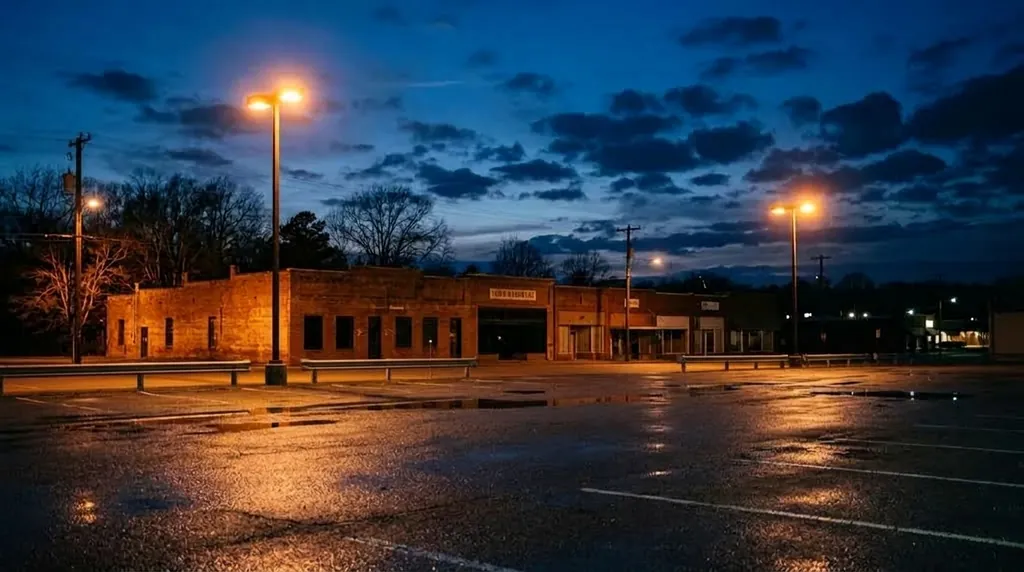
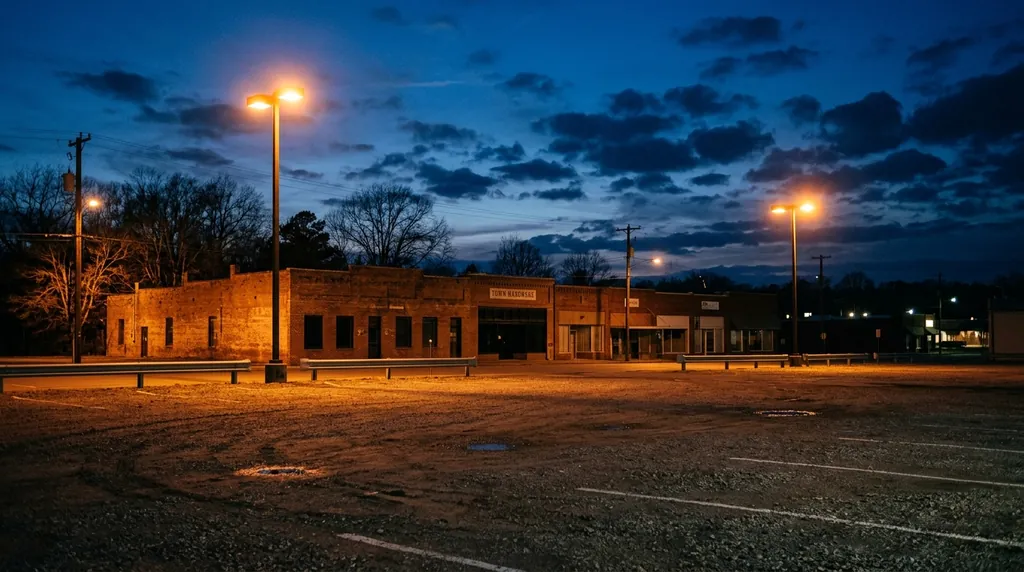
One area only
Work on one part of the frame
Say where the change goes and the rest is left alone. Here only the lower third was touched: the gravel became wet asphalt with the streetlights reflected in it, while the sky and the building stayed as they were.
“In the lower third only, replace the gravel with wet dark asphalt and add reflections of the streetlights. Leave the sky and the building untouched.”
Keep the rest
One change, everything else held
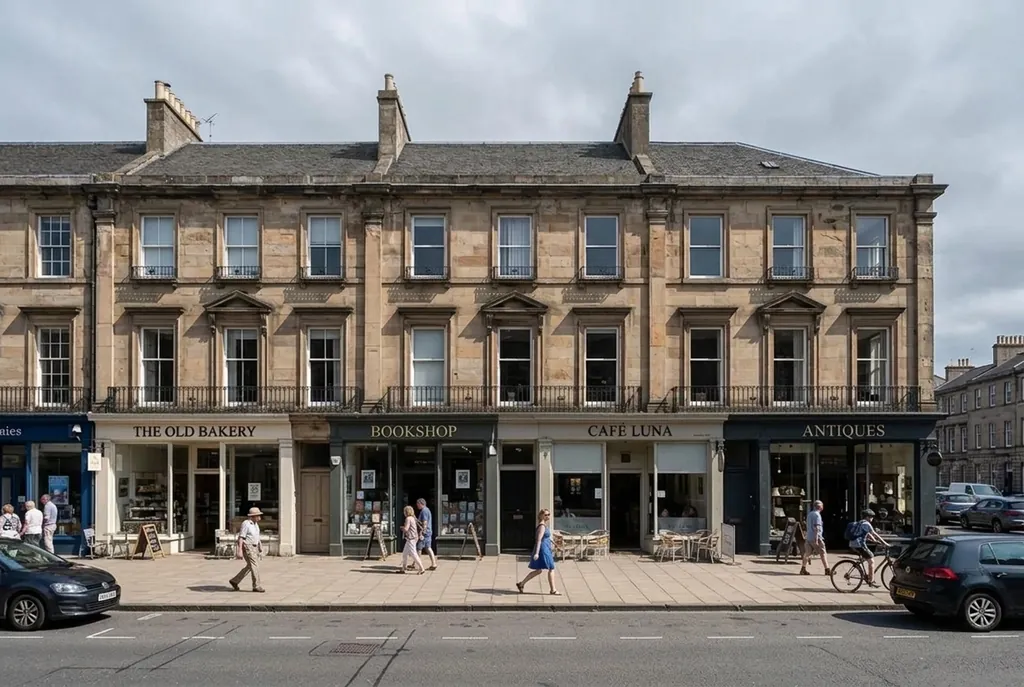
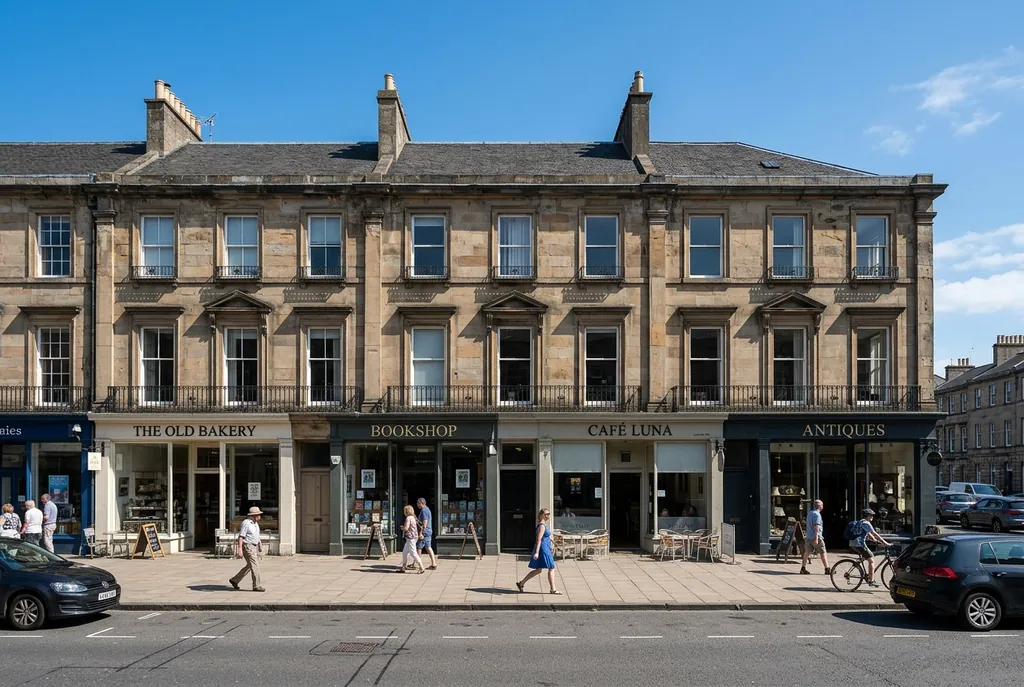
Only the sky above the roofline was replaced; the facade, the shops and the street stayed as shot. The same rule keeps a removal tidy: name what changes, and everything you did not name holds.
“Change only the sky above the roofline to an overcast gray with soft diffused light. Keep the building, the street and the people.”
FAQ
Something else? Write to support@freeaiphotoeditor.org.
Take it out of your own photo
1 free edit to start. No watermark, full resolution, your files stay private to your account.