- Free engine
- No sign-up
- No watermark
- 1 to 4 versions per run
Free AI Photo Editor Online
Edit any photo or image with one sentence.
Upload a picture, type the change, and this AI image editor does the rest: remove objects, remove backgrounds, edit text. Free to start, no watermark.
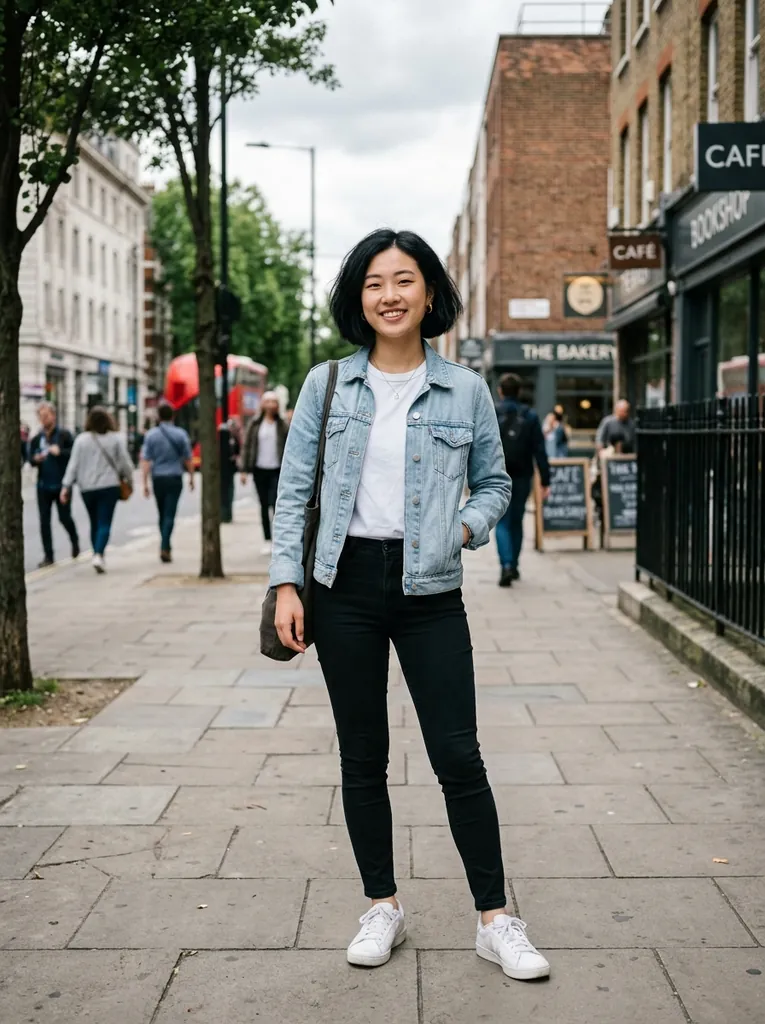
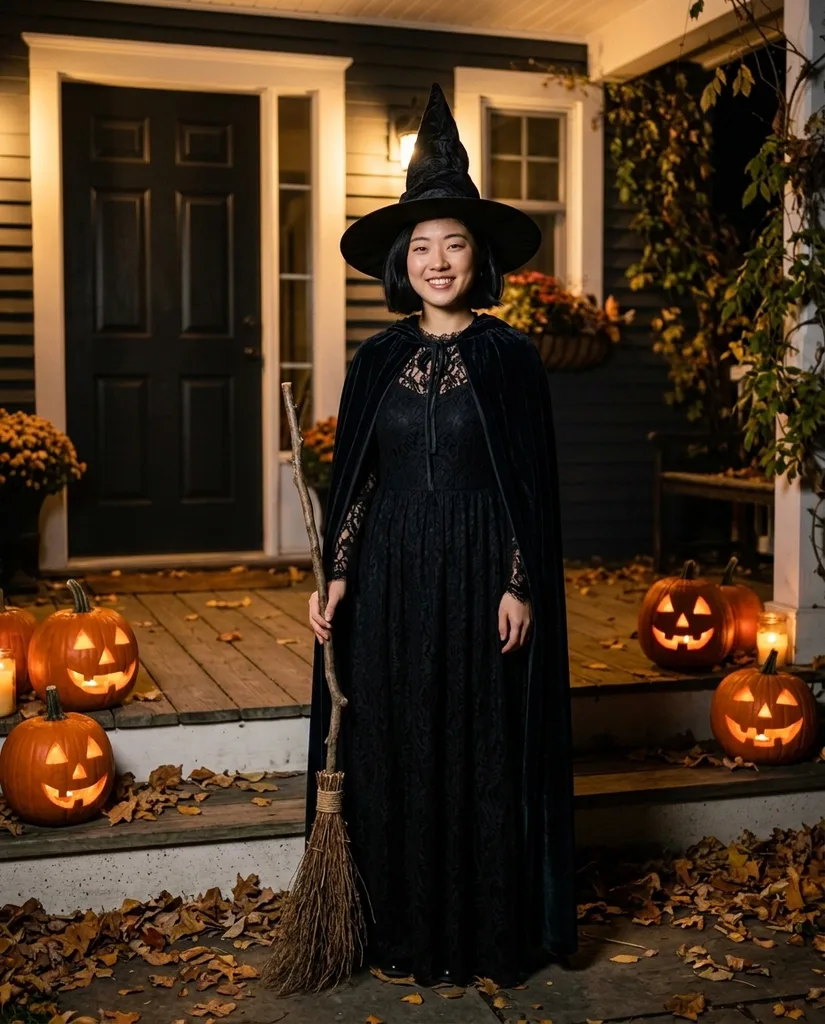
“Dress her as a witch in a pointed hat and velvet cape on a porch lined with jack-o-lanterns. Keep her face and her smile.”
Sample edit · drag to compare
Real edits from this AI photo editor
Every picture here came out of the editor above, shown with the photo it started from and the sentence that made it.
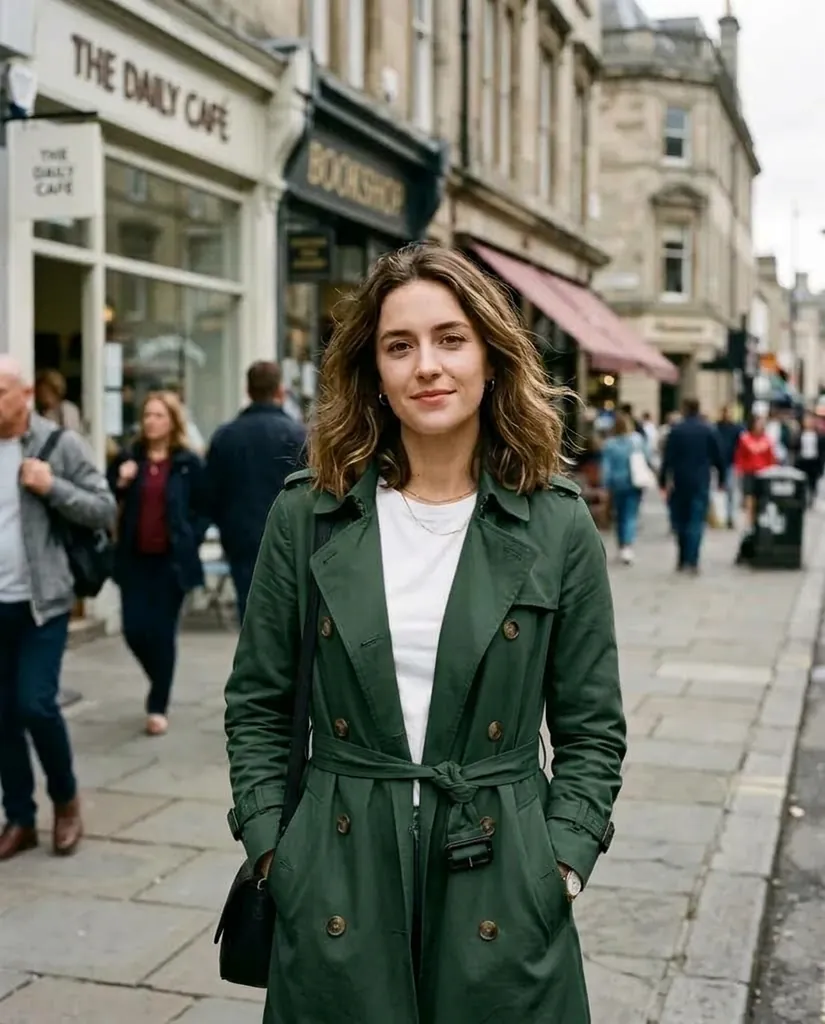
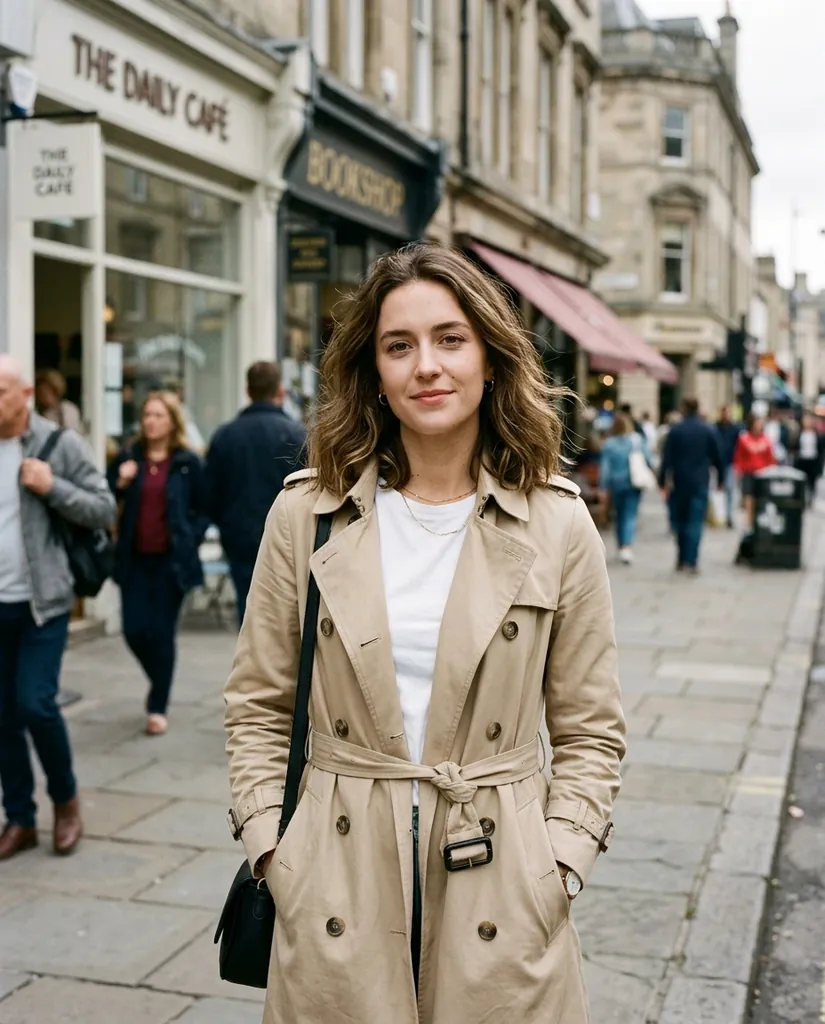
Change the coat colour
“Make her trench coat dark forest green. Keep her face, her pose, the street and the light exactly the same.”

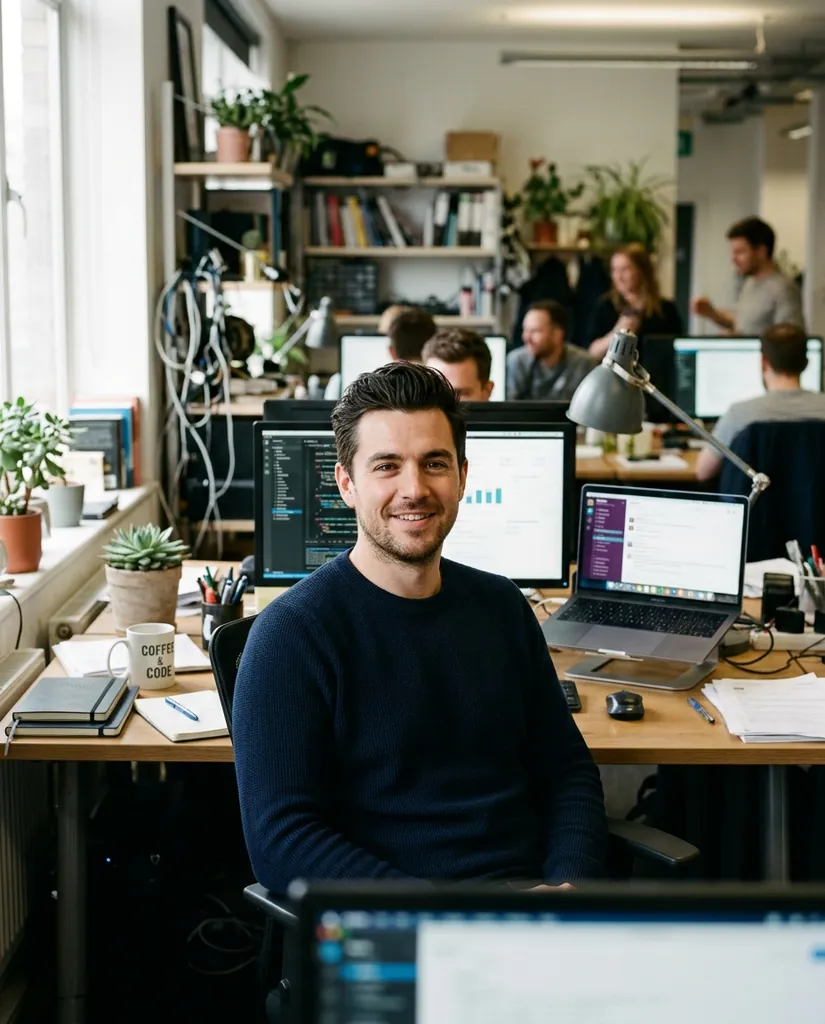
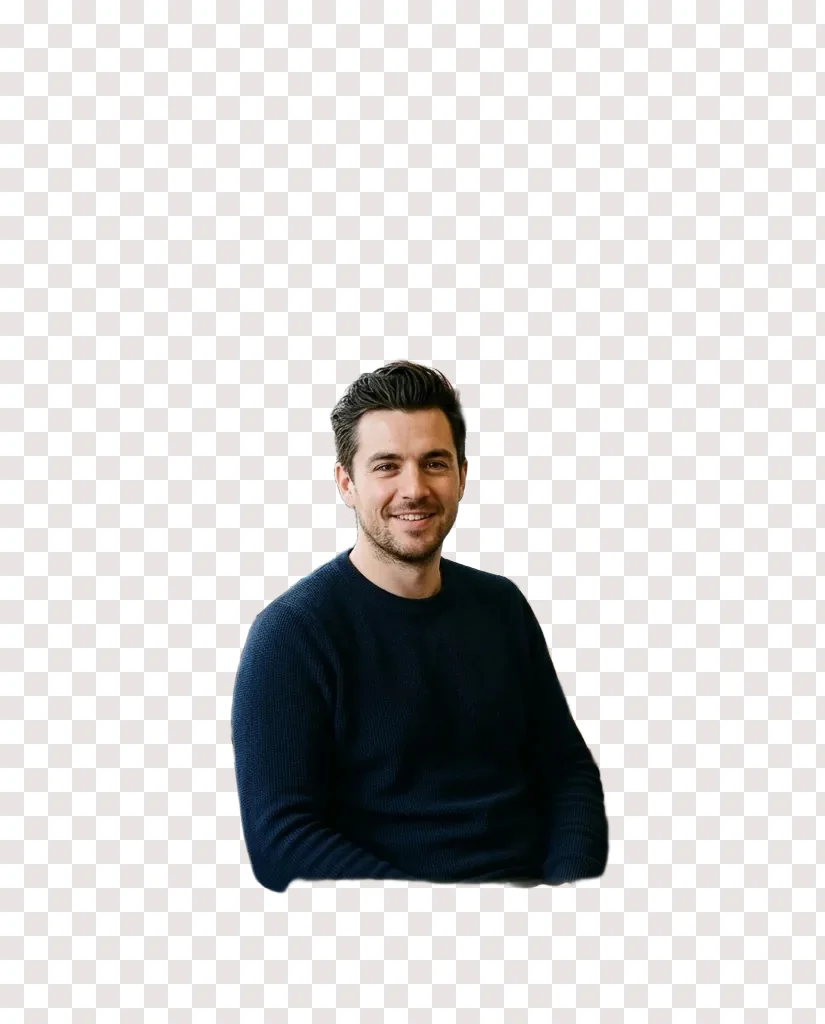
Office to studio headshot
“Replace the background with a plain warm gray studio wall. Keep the subject, his pose, his sweater and the light on his face.”


Rewrite the label
“Edit only the label on the bottle: replace the text with MORNING BLEND in a clean uppercase serif. Keep the bottle, the light and the table.”
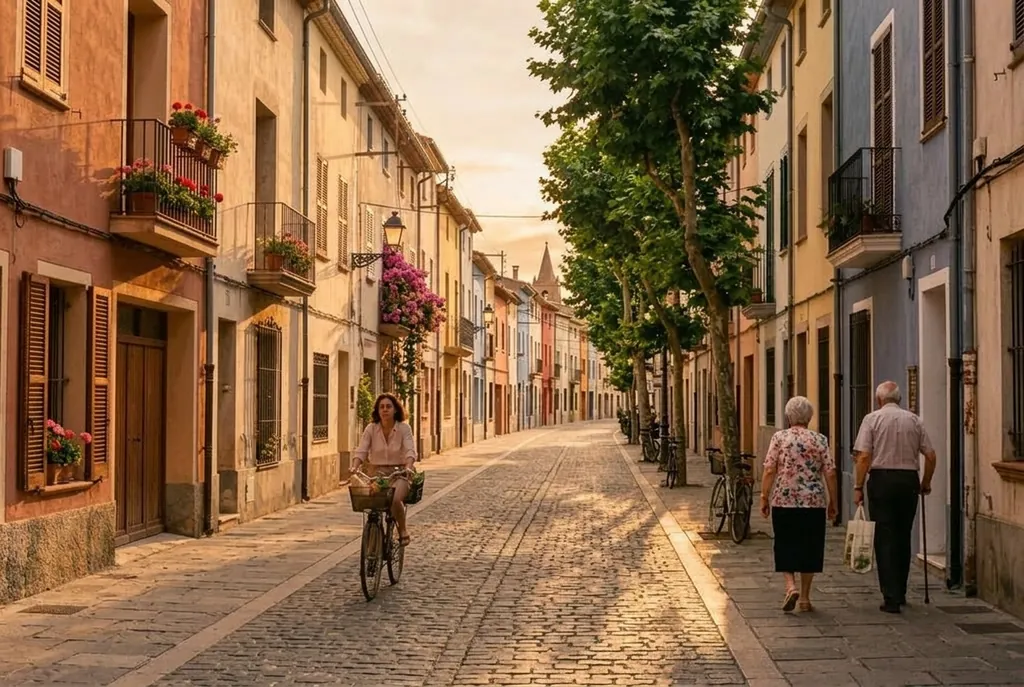
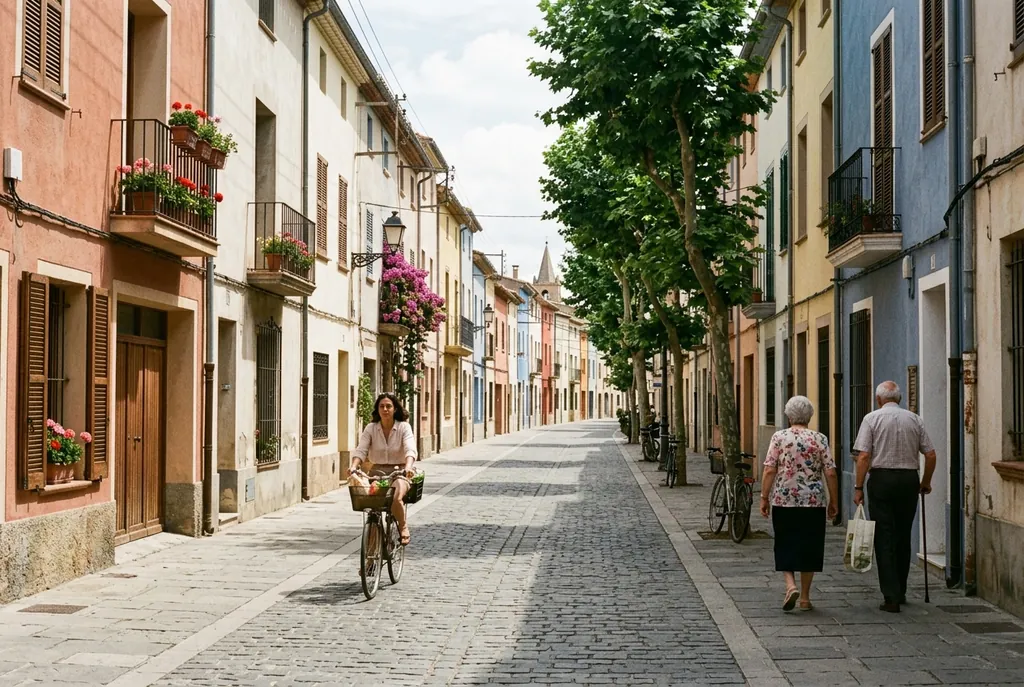
Noon to golden hour
“Change the time of day to late golden hour: warm low sun from the left, longer shadows. Keep the composition and every building.”
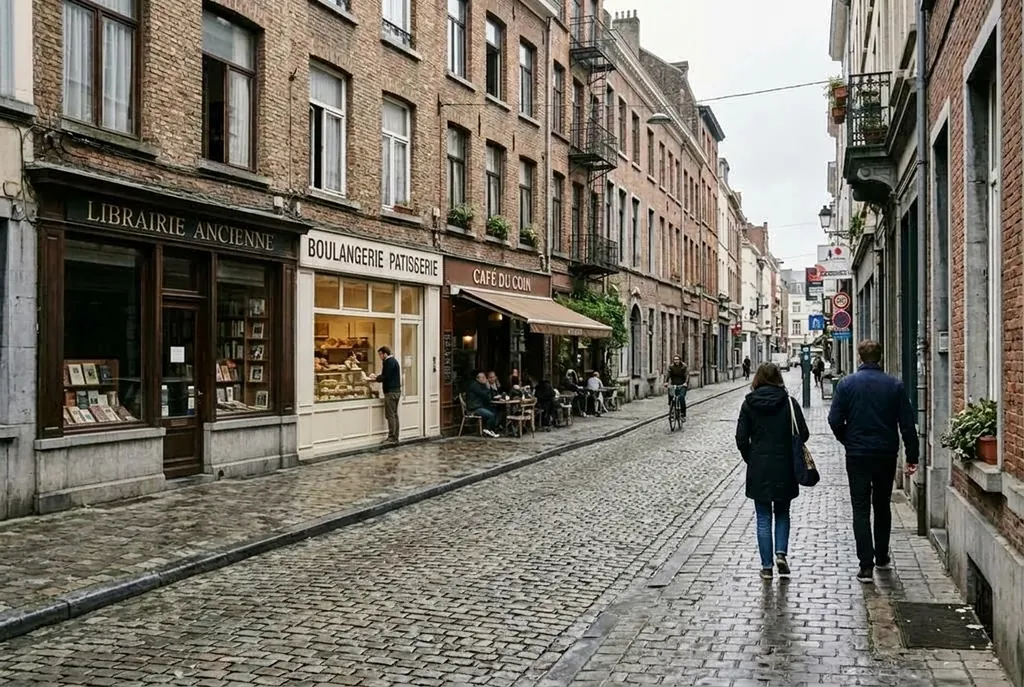
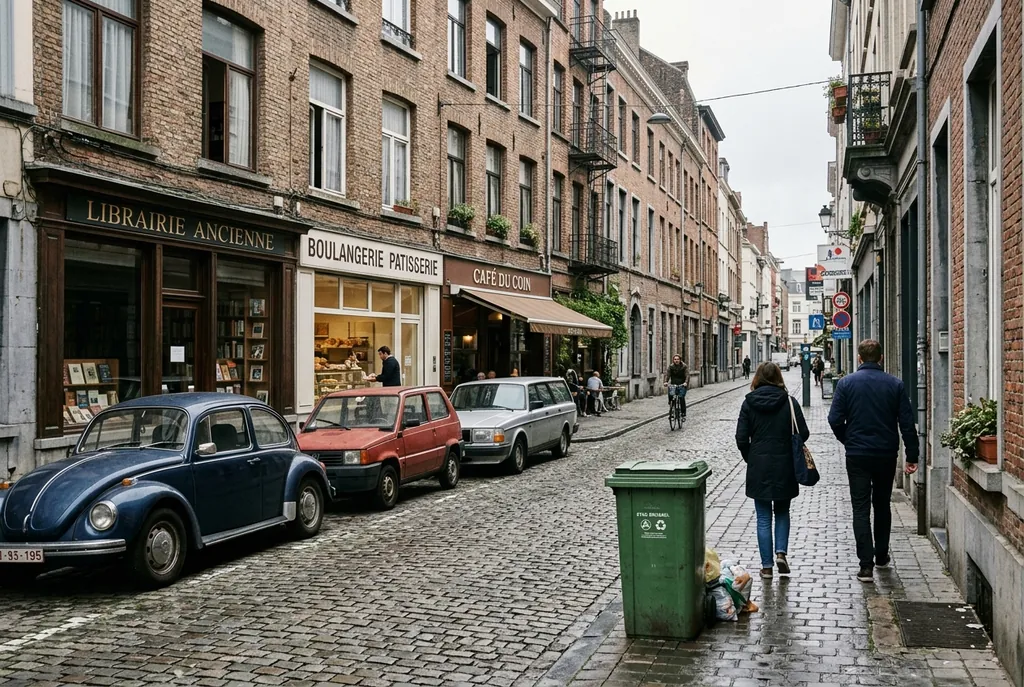
Remove the parked cars
“Remove the parked cars and the trash bin from the street, extend the sidewalk and the facade behind them. Keep the people and the signs.”
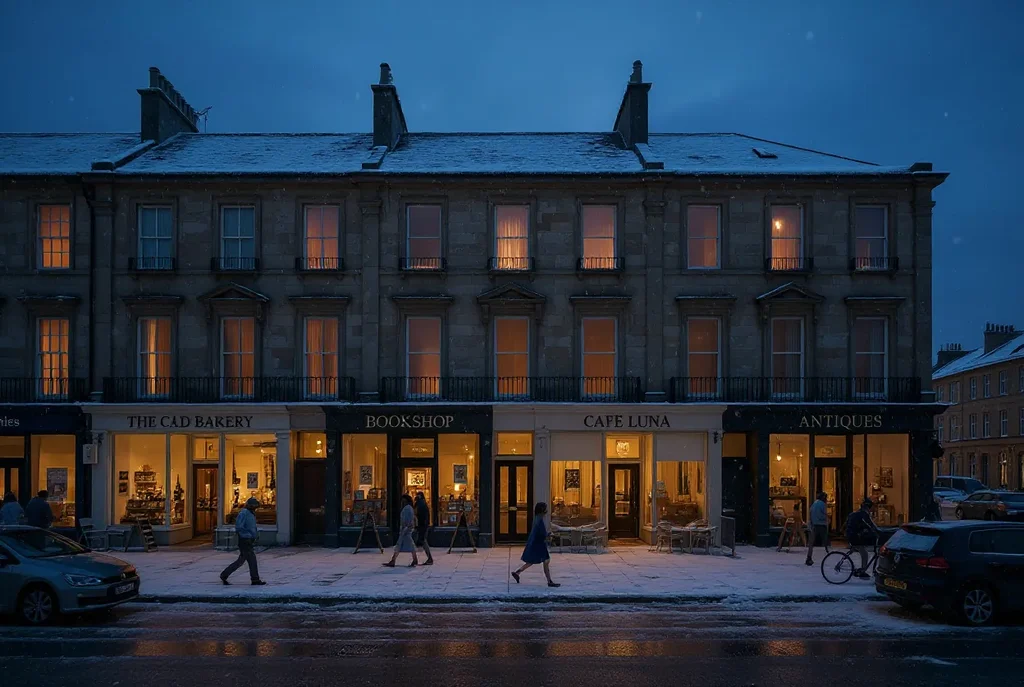
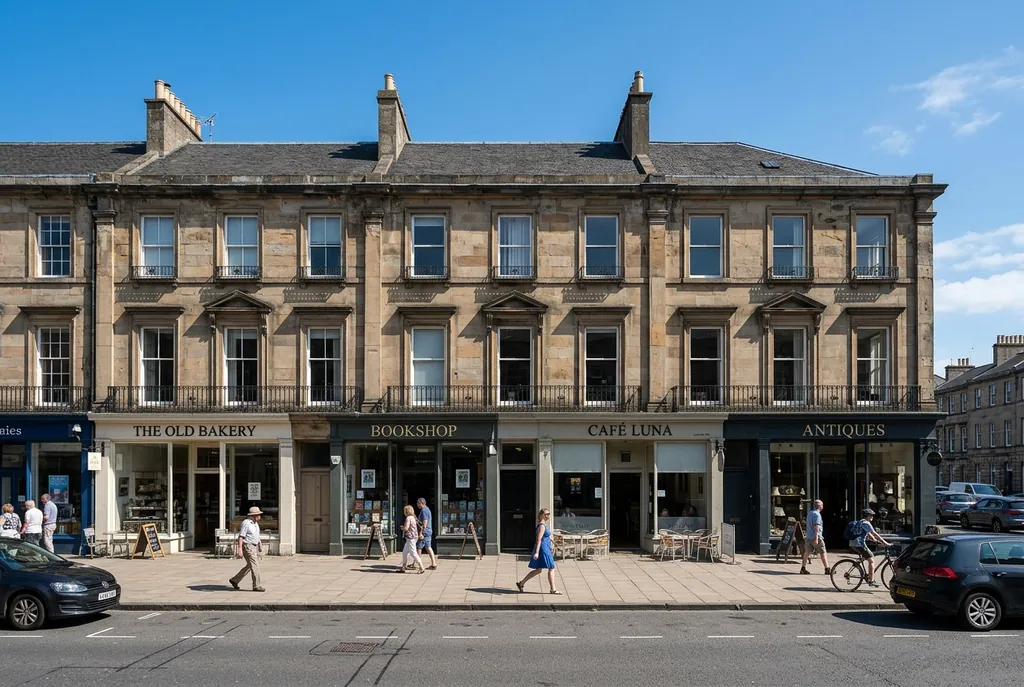
Summer to snowy dusk
“Make it a snowy winter evening: snow on the roofs and the pavement, warm lights in the shop windows, a soft dusk sky.”
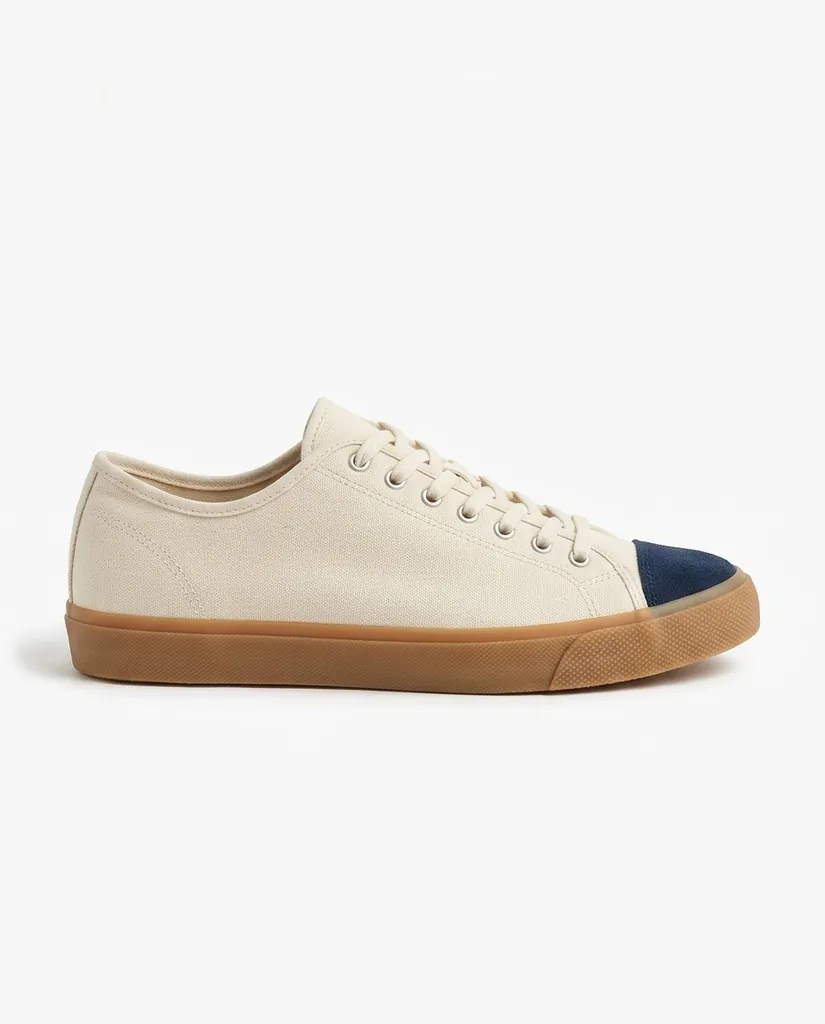
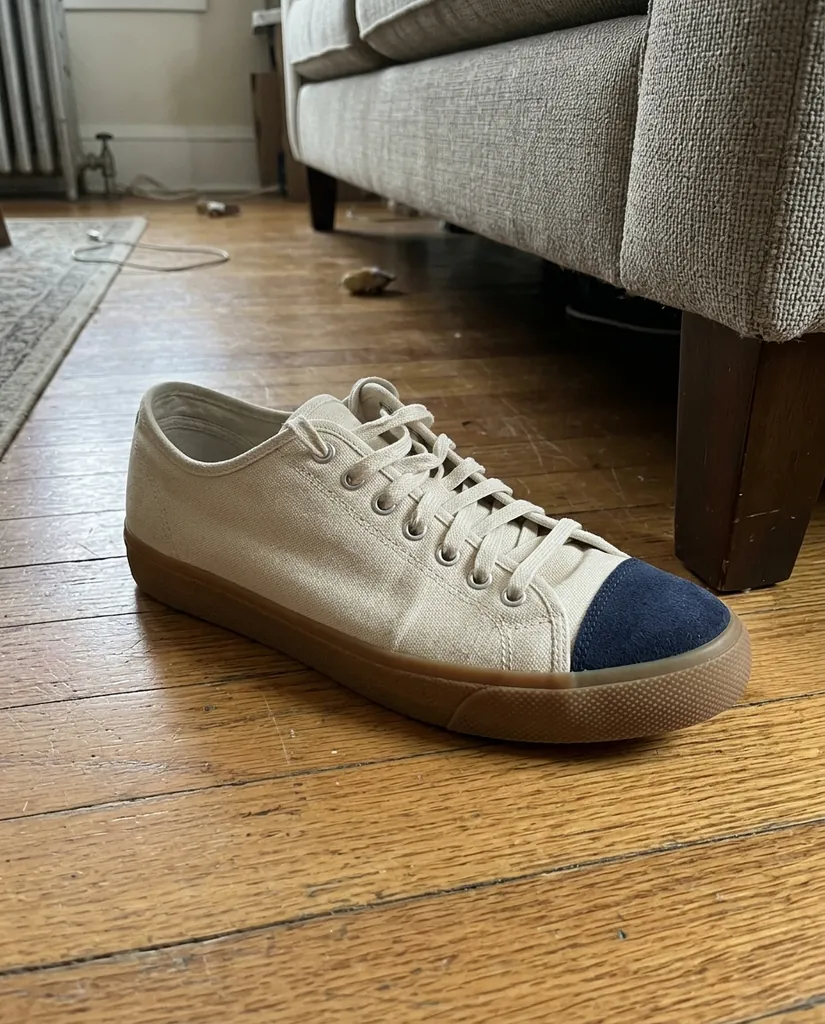
Floor photo to listing photo
“Put the sneaker on a plain white background with soft studio light. Keep the shoe, its stitching and its colours.”
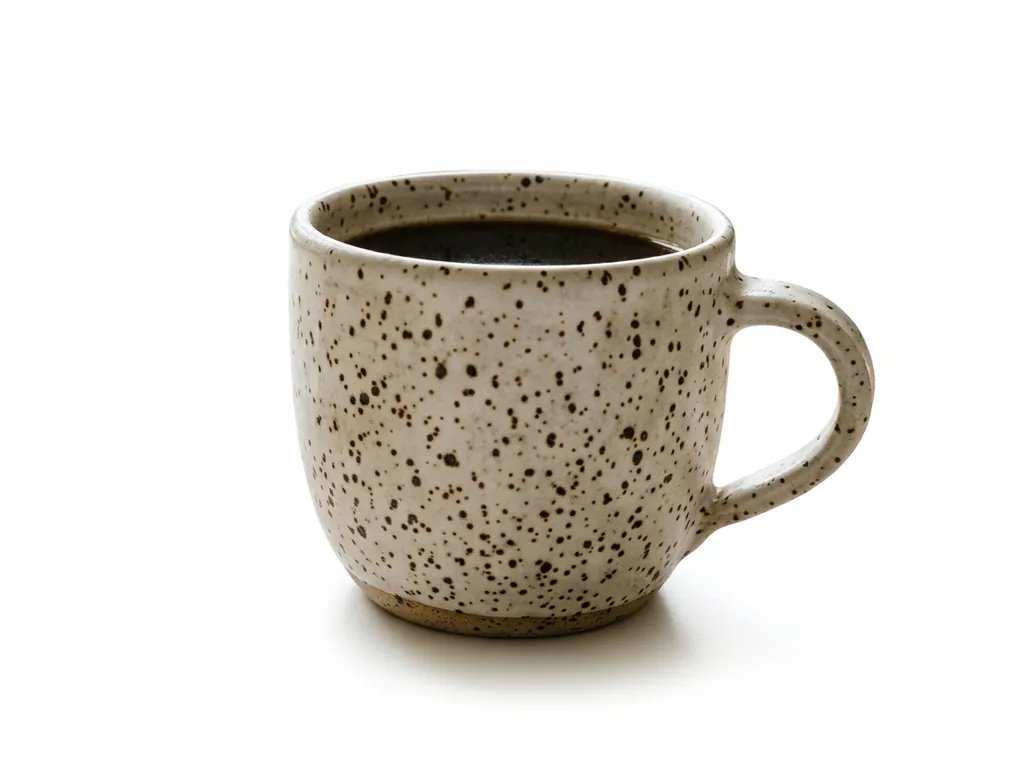
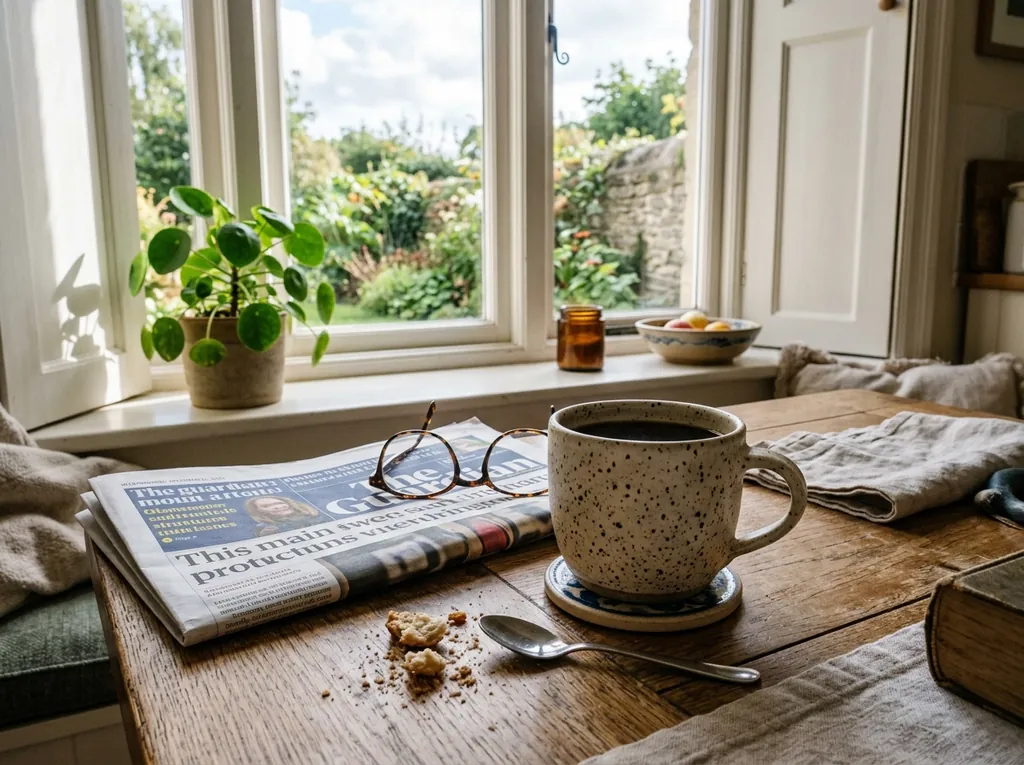
Kitchen table to white studio
“Turn this product photo into a clean white seamless studio shot with a small contact shadow. Keep the mug, its colour and its angle.”

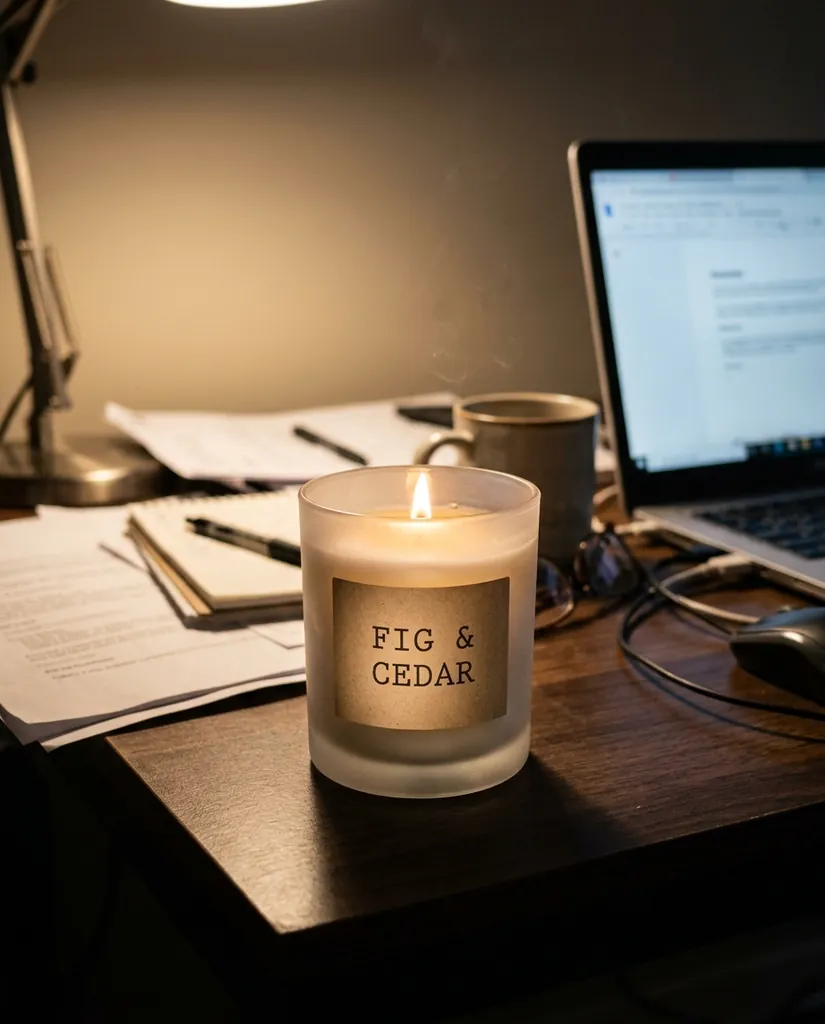
Desk clutter to holiday scene
“Place the candle on a wooden table with pine branches, gold baubles and soft fairy lights behind. Keep the candle and its label.”
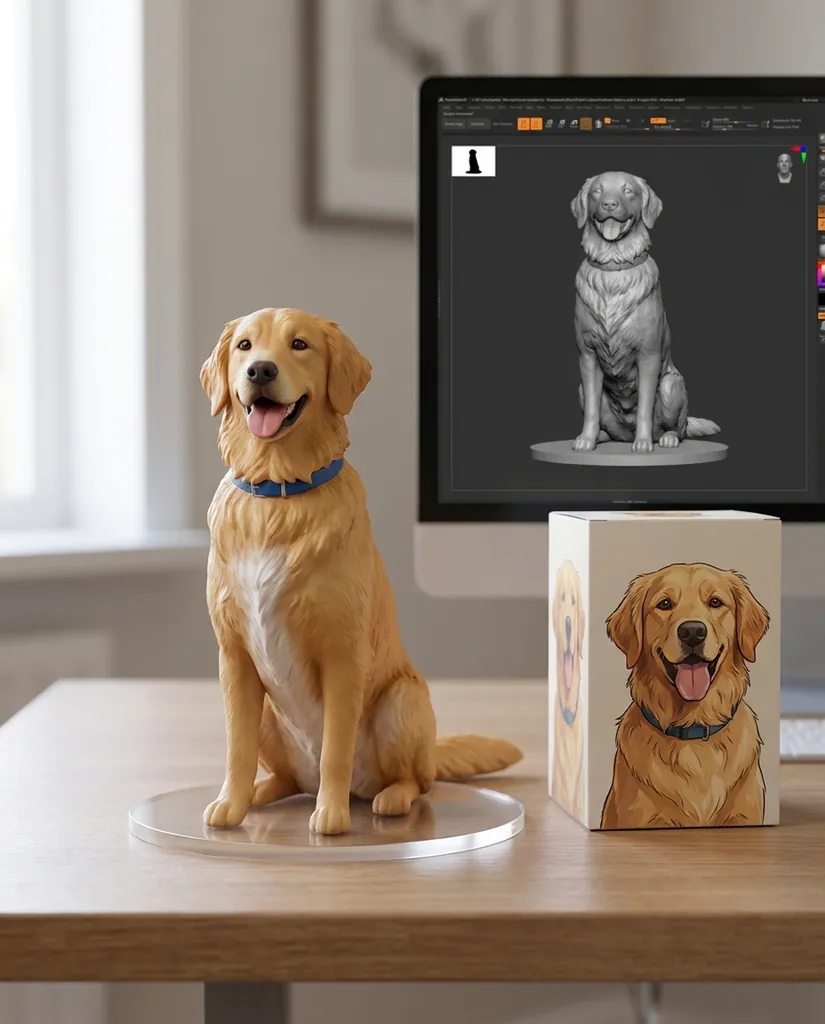
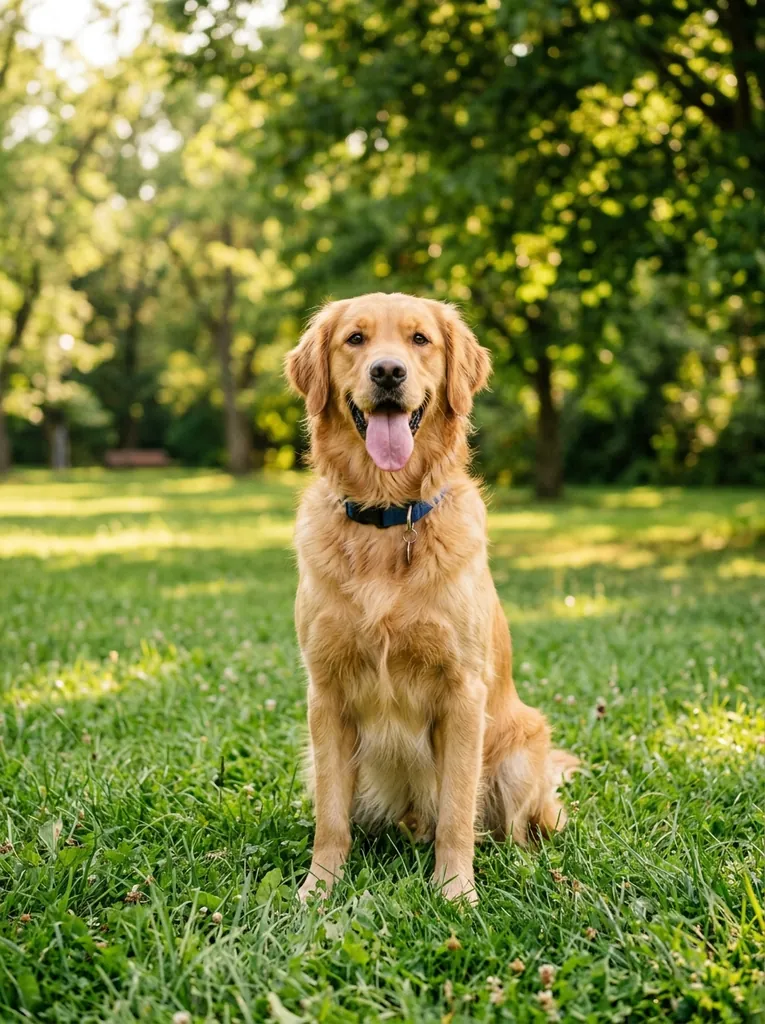
Dog photo to collectible figure
“Turn the dog into a painted collectible figurine on a desk, with its box and the 3D model on the monitor behind.”
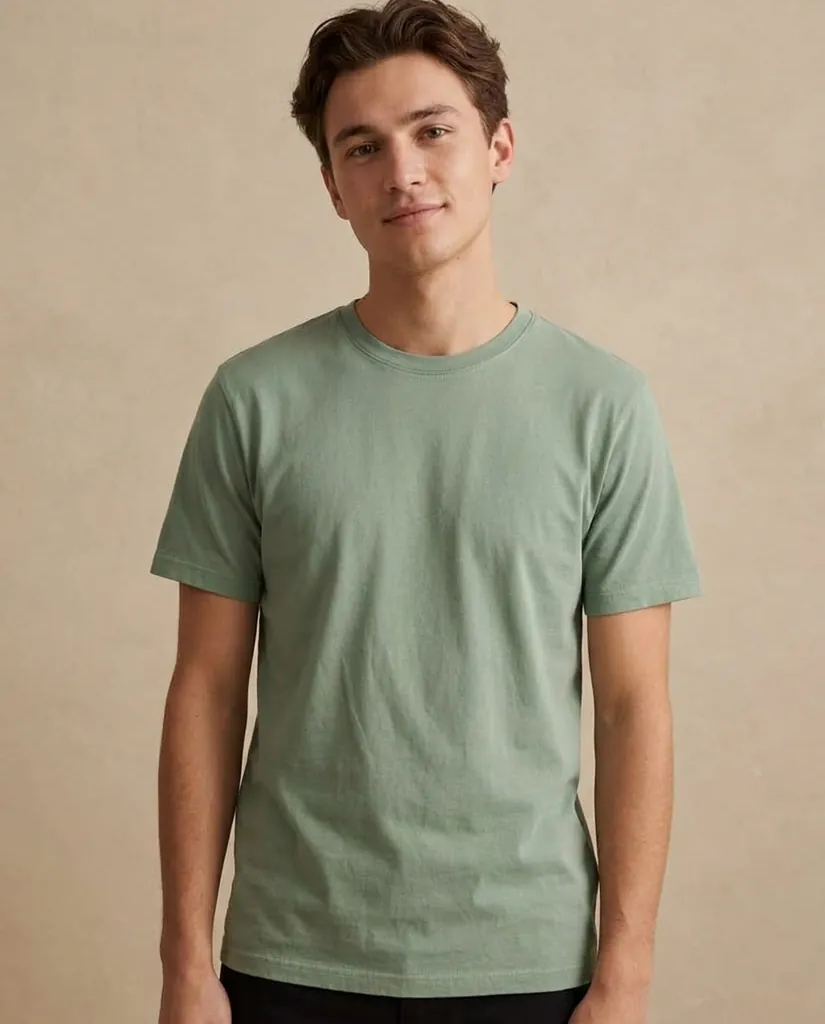
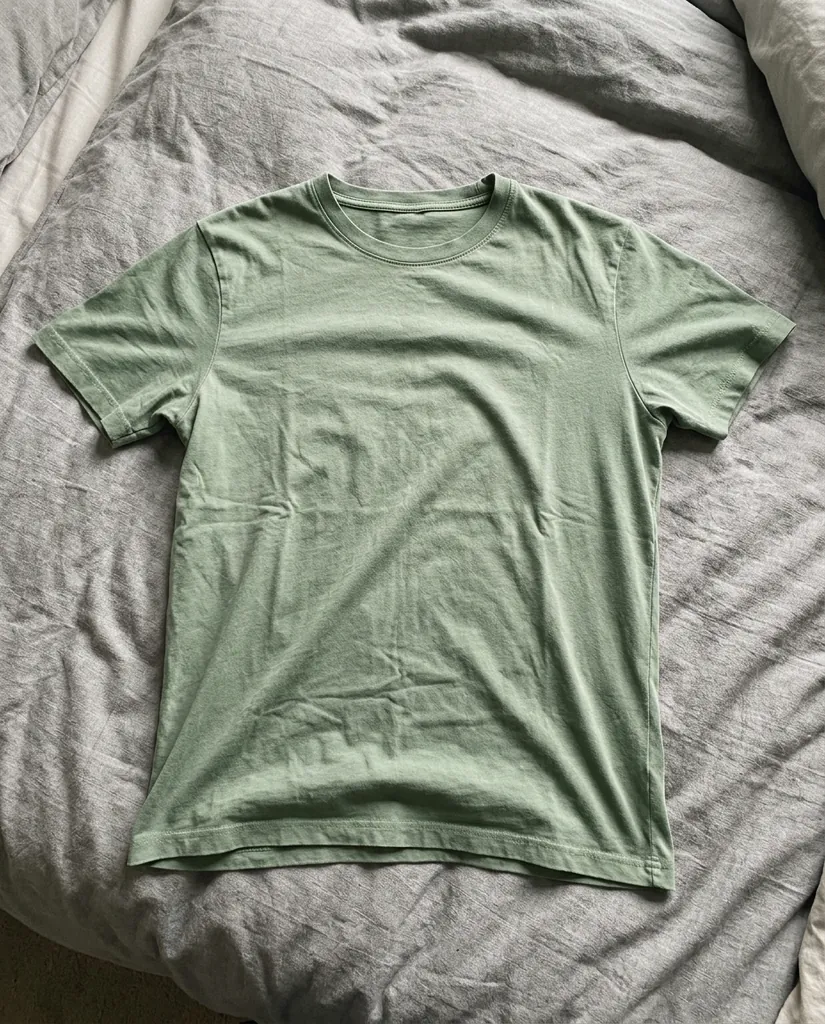
Flat tee to worn tee
“Show this t-shirt worn by a young man in a plain studio. Keep the colour, the fabric and the neckline of the shirt.”
Street photo to witch costume
“Dress her as a witch in a pointed hat and velvet cape on a porch lined with jack-o-lanterns. Keep her face and her smile.”
What is Free AI Photo Editor?
Free AI Photo Editor is an online AI photo editor that changes a picture from a sentence of plain English. There is nothing to install and no layers or masks to learn: you upload a JPG, PNG, WEBP or HEIC file in the editor at the top of this page, write what should change, and download the result at full resolution with no watermark. It works as an AI image editor on any picture, not only camera photos, so screenshots, product renders and scans go through the same box.
The free engine runs an edit with no account and no card, 3 edits a day per connection, up to 1024 px. Signing in with a Google account adds 10 free credits, enough for one edit on the default engine, and six paid engines are there for the jobs that need them: a tricky bit of lettering can go to one model and a quick background swap to another.
Behind the one text box are the jobs it is built for:
Remove
Take something out and rebuild what was behind it.
Background and scene
Put the subject somewhere else, or on plain white.
Light, sky and weather
Change the hour, the sky or the season.
Text
Words inside the picture, rewritten in the same lettering.
Fix and enhance
Sharper, cleaner, bigger.
Products and shops
Phone snaps into shop photos.
People and fun
Outfits, costumes, headshots, pets.
- Free engine, no account needed
- 10 free credits when you sign up
- 6 engines in one editor
- Up to 4K download
- No watermark on any plan
- JPG, PNG, WEBP and HEIC
- Failed edits are refunded in credits
Real photo editing examples
What went in, what we typed, and what came back.
Remove the parked cars
Input: A cobbled street with cars parked in front of the shopfronts
You type: “Remove the parked cars and the trash bin from the street, extend the sidewalk and the facade behind them. Keep the people and the signs.”
Result: The same street with the parked cars removed and the cobbles rebuilt
Office to studio headshot
Input: A man photographed in a cluttered office
You type: “Replace the background with a plain warm gray studio wall. Keep the subject, his pose, his sweater and the light on his face.”
Result: The same man against a plain warm gray studio wall
Rewrite the label
Input: A cold brew bottle on a table with its original label
You type: “Edit only the label on the bottle: replace the text with MORNING BLEND in a clean uppercase serif. Keep the bottle, the light and the table.”
Result: The same bottle with the label rewritten to read MORNING BLEND
Noon to golden hour
Input: A narrow street photographed in flat midday light
You type: “Change the time of day to late golden hour: warm low sun from the left, longer shadows. Keep the composition and every building.”
Result: The same street relit as late golden hour with long warm shadows
Kitchen table to white studio
Input: A ceramic mug photographed on a kitchen table
You type: “Turn this product photo into a clean white seamless studio shot with a small contact shadow. Keep the mug, its colour and its angle.”
Result: The same mug on a clean white studio background
AI photo editing tools
Each tool is the same AI photo editor with a form built for one job: name what should go, cut the subject out of its background, or type the new words. Nothing to write from scratch.
How to edit a photo
1
Add your photo
Drop in a JPG, PNG, WEBP or HEIC file, or start from one of the samples to see how it works.
2
Type the change
Say what should change and what must stay, in one plain sentence. The quick prompts fill in a good start.
3
Compare and download
Drag the slider to check the result against your original, then download it with no watermark or edit it again.
Top models behind the editor
One editor, several engines. Start on the free engine with no account, then pick the engine that suits the job. One standard edit uses 10 credits.
Free engine
No sign-in, up to 1024 px, 3 edits a day
Who uses it
Online sellers
Phone photos become listing photos: plain white, straight product, a soft contact shadow.
Travellers
Clear a crowd out of a holiday photo, or move the shot to better light after the fact.
Estate agents
Tidy a room, swap a gray sky, and keep every photo in a listing looking like one set.
Social posts
Restyle a portrait, change one colour, or fit the same picture to three crops.
How it compares
The same five questions people ask before they pick a photo editor.
| Free AI Photo Editor | Traditional photo editors | Typical AI photo apps | |
|---|---|---|---|
| Learning curve | Type what you want | Layers, masks and tools | Moderate |
| What you can change | Anything you can describe | Anything, by hand | Usually one effect |
| Keeps faces | Yes, across several edits | Yes, you do it yourself | Varies |
| Works on | Any browser, nothing to install | Desktop install | App download |
| Price to start | Free engine with no account | Monthly subscription | Monthly subscription |
Pick your plan
One edit on the default engine at 1K uses 10 credits. Other engines and 2K or 4K use more.
Free
$0
- Free engine: no account, 3 edits a day
- 10 free credits when you sign up, enough for 1 edit
- No watermark
Basic
$9.99 per month
1,000 credits a month · about 100 edits
- Every tool and every engine
- No watermark, up to 4K
- Up to 4 versions in one run
- Private library, cancel anytime
Pro
Most picked$19.99 per month
2,500 credits a month · about 250 edits
- Every tool and every engine
- No watermark, up to 4K
- Up to 4 versions in one run
- Private library, cancel anytime
Studio
$49.99 per month
7,000 credits a month · about 700 edits
- Every tool and every engine
- No watermark, up to 4K
- Up to 4 versions in one run
- Private library, cancel anytime
Prefer to pay once? Credit packs start at $9.99 for 800 credits and never expire. Yearly plans save 20%. Every pack is on the pricing page. See pricing
FAQ
Something else? Write to support@freeaiphotoeditor.org.
Start editing your photo
Free engine, no sign-up, no watermark.